Soyjak Wiki:Navigation popups/Structure examples


There are several pre-built pop-up structures available to pick. These are current as of 2018.
Original
[edit | edit source].png)
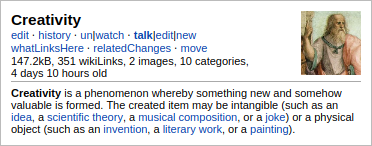
The "original" structure provides the most information, and is the largest window to information through a popup window. It will display a graphic if there is one near the top of the page, in addition to the page size, how many wikilinks are found in the page, how many categories the page is listed under, how long ago the page was last edited, and links to:
- Last
- Last edit diff
- Last edit
- One's last edit and current version diff
- Edit page
- View history
- Watch/unwatch
- Talk
- View page talk
- Edit page talk
- New section
- What links here
- Recent edits from related pages
- Move page
Nostalgia
[edit | edit source]
Nostalgia is like Original but with fewer links.
Fancy
[edit | edit source]
The "fancy" structure provides the second most information, and is the second largest window to information through a popup window. It will display a graphic if there is one near the top of the page, in addition to the page size, how many wikilinks are found in the page, how many categories the page is listed under, how long ago the page was last edited, and links to:
- Edit page
- Page history
- Last edit
- Eds
- Talk
- View page talk
- Edit page talk
- New section
- Watch/unwatch
- Move page
- What links here
- Recent edits from related pages
Fancy2
[edit | edit source]
Fancy2 is like Fancy but with the links under the title.
Menus
[edit | edit source]
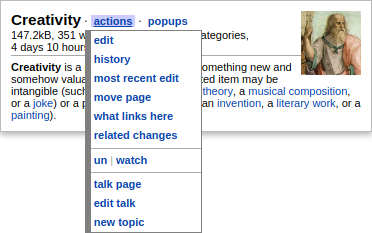
Menus has an "actions" menu which contains the links, as well as a "popups" menu with links to refresh or disable popups.
Shortmenus
[edit | edit source]
Shortmenus is like Menus but with fewer links (in the "action" menu).
Lite
[edit | edit source]
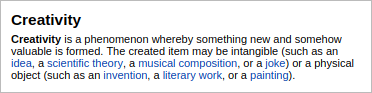
Lite only gives a text preview.