CURRENT MISSION: Conclude the 2026 soyjak.party hack page, aswell as any pages relating to it, such as the Summer 2026 Crisis page.
Update Quotecord with any relevant info. See the blackboard for more info.

Template:Multiple image: Difference between revisions

From Soyjak Wiki, the free ensoyclopedia
Jump to navigationJump to search
Soyson (talk | contribs)
this should work or something
Soyson (talk | contribs)
ok it should be fixed now
Line 1: Line 1:
{{Documentation subpage}}
<includeonly><div class="thumb {{#switch: {{{align|}}} | left = tleft | center | centre = tnone | tright}}" style="width:{{#ifeq: {{{direction|horizontal}}} | vertical | {{#expr: {{#if: {{{width|}}} | {{{width}}} | {{{width1}}} }} + 12}} | {{#if: {{{width|}}} | {{#expr: 8 + ({{{width|0}}} + 4) * {{#if: {{{image5|}}} | 5 | {{#if: {{{image4|}}} | 4 | {{#if: {{{image3|}}} | 3 | 2 }} }} }} }} | {{#expr: 16 + {{{width1}}} + {{{width2}}} + {{{width3|0}}} + {{{width4|0}}} + {{{width5|0}}} + {{#if: {{{image5|}}} | 12 | {{#if: {{{image4|}}} | 8 | {{#if: {{{image3|}}} | 4 | 0 }} }} }} }} }} }}px;{{#switch: {{{align|}}} | center | centre = margin: 0 auto;}}{{#if:{{{background color|}}}|background-color:{{{background color}}};}}">
<!-- PLEASE ADD CATEGORIES AT THE BOTTOM OF THIS PAGE. -->
<div class="thumbinner" {{#if:{{{background color|}}}|style="background-color:{{{background color}}};"}}>
{{#if: {{{header|}}} | <div style="clear:both;font-weight:bold;text-align:{{{header_align|center}}};background:{{{header_background|transparent}}};">{{{header}}}</div> }}
<div style="{{#ifeq: {{{direction|horizontal}}} | horizontal | float:left;}}margin:1px;width:{{#expr: 2 + {{#if: {{{width|}}} | {{{width}}} | {{{width1}}} }} }}px;"><div class="thumbimage">[[File:{{{image1}}}|{{#if: {{{width|}}} | {{{width}}} | {{{width1}}} }}px|{{{alt1|{{{footer|}}}}}}]]</div>{{#if: {{{caption1|}}} | <div class="thumbcaption" style="clear:left;">{{{caption1}}}</div>}}</div>
<div style="{{#ifeq: {{{direction|horizontal}}} | horizontal | float:left;}}margin:1px;width:{{#expr: 2 + {{#if: {{{width|}}} | {{{width}}} | {{{width2}}} }} }}px;"><div class="thumbimage">[[File:{{{image2}}}|{{#if: {{{width|}}} | {{{width}}} | {{{width2}}} }}px||{{{alt2|{{{footer|}}}}}}]]</div>{{#if: {{{caption2|}}} | <div class="thumbcaption" style="clear:left;">{{{caption2}}}</div>}}</div>
{{#if: {{{image3|}}} | <div style="{{#ifeq: {{{direction|horizontal}}} | horizontal | float:left;}}margin:1px;width:{{#expr: 2 + {{#if: {{{width|}}} | {{{width}}} | {{{width3}}} }} }}px;"><div class="thumbimage">[[File:{{{image3}}}|{{#if: {{{width|}}} | {{{width}}} | {{{width3}}} }}px|{{{alt3|{{{footer|}}}}}}]]</div>{{#if: {{{caption3|}}} | <div class="thumbcaption" style="clear:left;">{{{caption3}}}</div>}}</div>
{{#if: {{{image4|}}} | <div style="{{#ifeq: {{{direction|horizontal}}} | horizontal | float:left;}}margin:1px;width:{{#expr: 2 + {{#if: {{{width|}}} | {{{width}}} | {{{width4}}} }} }}px;"><div class="thumbimage">[[File:{{{image4}}}|{{#if: {{{width|}}} | {{{width}}} | {{{width4}}} }}px|{{{alt4|{{{footer|}}}}}}]]</div>{{#if: {{{caption4|}}} | <div class="thumbcaption" style="clear:left;">{{{caption4}}}</div>}}</div>
{{#if: {{{image5|}}} | <div style="{{#ifeq: {{{direction|horizontal}}} | horizontal | float:left;}}margin:1px;width:{{#expr: 2 + {{#if: {{{width|}}} | {{{width}}} | {{{width5}}} }} }}px;"><div class="thumbimage">[[File:{{{image5}}}|{{#if: {{{width|}}} | {{{width}}} | {{{width5}}} }}px|{{{alt5|{{{footer|}}}}}}]]</div>{{#if: {{{caption5|}}} | <div class="thumbcaption" style="clear:left;">{{{caption5}}}</div>}}</div>}}}}}}
{{#if: {{{footer|}}} | <div class="thumbcaption" style="clear:left;text-align:{{{footer_align|left}}};background:{{{footer_background|transparent}}};">{{{footer}}}</div> }}
</div>
</div></includeonly><noinclude>
{| class="roundy" style="margin:auto; border: 2px solid #9ac5db; background: #FFFFFF"
|- bgcolor=#f1f7fb
! class=roundy colspan=2 | Basic Usage
|-
| colspan=2 |
The multiple image template allows to set at more than one image at the same time in a image box, halfway similar to a gallery but without wasting space. Up to 10 pictures arranged in a row either horizontally or vertically can be used.


This template creates a box with two to ten images arranged vertically or horizontally with captions for the entire box and/or for each images.
<pre style="width:60%">
{{Multiple image
|align = left/center/right
|direction = vertical/horizontal
|header = header for pictures
|footer = A single footer for all the pics
|width = size for all the pictures, use numbers only


== Usage ==
| image1 = set a pic
{{TemplateDataHeader}}
| alt1 = alternate text for pic
<templatedata>
| width1 = size for an specific picture, use numbers only
{
|caption1 = caption for an specific picture
    "description": "This template creates a box with two to ten images arranged vertically or horizontally with captions for the entire box and/or for each images.",
    "params": {
        "align": {
            "type": "string",
            "label": "Align",
            "default": "right",
            "description": "left/right/center/none"
        },
        "direction": {
            "default": "horizontal",
            "type": "string",
            "label": "Direction",
            "description": "horizontal/vertical"
        },
        "width": {
            "type": "string",
            "label": "Width",
            "description": "width overrides width1, width2, width3, etc. If you want the images to be different sizes, do not provide the width parameter. Integer width in pixels; no 'px' suffix"
        },
        "background color": {
            "type": "string",
            "label": "Background color",
            "description": "defines the background color between the border of the box and the images."
        },
        "header": {
            "type": "string",
            "label": "Header"
        },
        "footer": {
            "type": "string",
            "label": "Footer"
        },
        "header_align": {
            "default": "center",
            "type": "string",
            "label": "Header align",
            "description": "left/right/center"
        },
        "footer_align": {
            "default": "left",
            "type": "string",
            "label": "Footer align",
            "description": "left/right/center"
        },
        "header_background": {
            "type": "string",
            "label": "Header background"
        },
        "footer_background": {
            "type": "string",
            "label": "Footer background"
        },
        "image1": {
            "description": "image1 is name of first image. Similarly for image2, etc. File name only; no 'File:' or 'Image:' prefix.",
            "type": "string"
        },
        "width1": {
            "description": "width1 is width of first image. Similarly for width2, etc. ",
            "type": "number"
        },
        "alt1": {
            "type": "string",
            "description": "alt1 is [[alt text]] of first image (see [[WP:ALT]]). Similarly for alt2, etc."
        },
        "caption1": {
            "type": "string",
            "description": "caption1 is caption of first image. Similarly for caption2, etc."
        },
        "link1": {
            "type": "string/wiki-page-name",
            "description": "is where the first page links to. Similarly for link2, etc. If not specified, image links to the image description page as usual. If specified to the empty value, the image does not link anywhere; this should be used for purely decorative images as per [[WP:ALT]].\nImportant: If the image is under a free license like the GFDL or a CC license, you must not use this parameter as the terms of those licenses require the license, or a link to it, to be reproduced with the image. The image must, therefore, link to its image page. Public domain and (theoretically) fair use images are not subject to this restriction."
        },
        "image2": {},
        "width2": {},
        "alt2": {},
        "caption2": {},
        "link2": {},
        "image3": {},
        "width3": {},
        "alt3": {},
        "caption3": {},
        "link3": {}
    }
}
</templatedata>


* '''align''' defaults to "right"
| image2 =
* '''direction''' defaults to "horizontal"
| alt2 =  
* '''header_align''' defaults to "center"
| width2 =  
* '''footer_align''' defaults to "left"
|caption2 =  
* '''image1''' is name of first image. Similarly for '''image2''', etc.
* '''width1''' is width of first image. Similarly for '''width2''', etc.
** '''width''' overrides width1, width2, width3, etc. If you want the images to be different sizes, do not provide the width parameter.
* '''alt1''' is [[alt text]] of first image (see [[WP:ALT]]). Similarly for '''alt2''', etc.
* '''caption1''' is caption of first image. Similarly for '''caption2''', etc.
* '''link1''' is where the first page links to. Similarly for '''link2''', etc. If not specified, image links to the image description page as usual. If specified to the empty value, the image does not link anywhere; this should be used for purely decorative images as per [[WP:ALT]].<br />'''Important''': If the image is under a free license like the GFDL or a CC license, you '''must not''' use this parameter as the terms of those licenses require the license, or a link to it, to be reproduced with the image. The image must, therefore, link to its image page. Public domain and (theoretically) fair use images are not subject to this restriction.
* '''background color''' defines the [[List of colors|background color]] between the border of the box and the images.
* header, footer, background color and captions are optional.
 
<pre style="width: 85%; overflow:auto">
{{multiple image
<!-- Essential parameters -->
| align    = <!-- left/right/center/none -->
| direction = <!-- horizontal/vertical -->
| width    = <!-- integer width in pixels; no "px" suffix -->
 
<!-- Image 1 -->
| image1    = <!-- file name only; no "File:" or "Image:" prefix -->
| width1    =
| alt1      =
| caption1  =
 
<!-- Image 2 -->
| image2    = <!-- file name only; no "File:" or "Image:" prefix -->
| width2   =
| alt2      =  
| caption2 =
 
<!-- Image 3 -->
| image3    = <!-- file name only; no "File:" or "Image:" prefix -->
| width3    =
| alt3      =
| caption3  =
 
<!-- up to |image10 is accepted -->
 
<!-- Extra parameters -->
| header            =
| header_align      = <!-- left/right/center -->
| header_background =
| footer            =
| footer_align      = <!-- left/right/center -->
| footer_background =
| background color  =
}}</pre>
 
== Examples ==
{{multiple image
| footer    = 'Jaks are usually rated as 'Coal' or 'Gem'.
| width    = 60
 
| image1    = Minecraft-Coal.png
| alt1      = Minecraft's coal icon.
 
| image2    = Minecraft-diamond.png
| alt2      = Minecraft's diamond icon.
}}
}}
</pre>
|- bgcolor=#f1f7fb
!width=50% |Example 1
!width= 50%|Result
|-
|
<pre style="width:100%">
{{Multiple image
|align = center
|direction = horizontal
|footer = The [[tower duo]]
|width = 100


<pre style="overflow: auto;">
| image1 = Minecraft-diamond.png
{{multiple image
| alt1 = Gem
| footer    = 'Jaks are usually rated as 'Coal' or 'Gem'.
| width    = 60


| image1    = Minecraft-Coal.png
| image2 = Minecraft-Coal.png
| alt1      = Minecraft's coal icon.
| alt2 = Coal
 
| image2    = Minecraft-diamond.png
| alt2     = Minecraft's diamond icon.
}}</pre>
{{-}}
 
{{multiple image
| align    = left
| direction = vertical
| header    = [[PNG]] transparency demonstration
| width    = 200
 
| image1    = Transparent original soyak.png
| alt1      = Original Soyak with a transparent background
| caption1  = A PNG image with an 8-bit transparency layer...
 
| image2    = Fake Transparent soyak.png
| alt2      = Original Soyak with a checkered background
| caption2  = ...here overlaid onto a checkered background.
}}
}}
</pre>
|
{{Template:Multiple image
|align = center
|direction = horizontal
|footer = [[Gem]] and [[Coal]], side by side.
|width = 100


<pre style="overflow: auto;">
| image1 = Minecraft-diamond.png
{{multiple image
| alt1 = Gem
| align    = left
| direction = vertical
| header    = [[PNG]] transparency demonstration
| width    = 200
 
| image1   = Transparent original soyak.png
| alt1     = Original Soyak with a transparent background
| caption1  = A PNG image with an 8-bit transparency layer...
 
| image2    = Fake Transparent soyak.png
| alt2      = Original Soyak with a checkered background
| caption2  = ...here overlaid onto a checkered background.
}}</pre>
{{-}}
 
=== Example with background color ===
{{multiple image
| image1=Gem brimstone.png
| alt1=Wholesomejak sitting on gems
 
| image2=Gem_award.png
| alt2=Realistic gem


| image3=Minecraft-diamond.png
| image2 = Minecraft-Coal.png
| alt3= Minecraft's diamond icon
| alt2 = Coal
 
| footer=[[Gem]]
| footer_background=#f1f7fb
| background color=#d9ebf4
| footer_align=center
| width=160
}}
}}
|- bgcolor=#f1f7fb
!width=50% |Example 2
!width= 50%|Result
|-
|
<pre style="width:100%">
{{Template:Multiple image
|align = center
|direction =vertical
|footer = [[Gem]] and [[Coal]], vertical.
|width = 100


<pre style="overflow: auto;">
| image1 = Minecraft-diamond.png
{{multiple image
| alt1 = Gem
| image1=Gem brimstone.png
| alt1=Wholesomejak sitting on gems


| image2=Gem_award.png
| image2 = Minecraft-Coal.png
| alt2=Realistic gem
| alt2 = Coal
 
| image3=Minecraft-diamond.png
| alt3= Minecraft's diamond icon
 
| footer=[[Gem]]
| footer_background=#f1f7fb
| background color=#d9ebf4
| footer_align=center
| width=160
}}
}}
</pre>
</pre>
{{-}}
|
{{Template:Multiple image
|align = center
|direction =vertical
|footer = [[Gem]] and [[Coal]], vertical.
|width = 100


=== Example with links ===
| image1 = Minecraft-diamond.png
{{multiple image
| alt1 = Gem
| footer    = The gem links to ''[[Gem]]'', the dust does not link anywhere, and the coal links to its image description page as usual.
| align    = left


| image1    = Minecraft-diamond.png
| image2 = Minecraft-Coal.png
| width1    = 143
| alt2 = Coal
| alt1      = A gem
| caption1  = A gem.
| link1    = Gem


| image2    = BaseDust.png
}}
| width2    = 150
|- bgcolor=#f1f7fb
| alt2      = Dust
!width=50% |Example 3
| caption2  = Dust.
!width= 50%|Result
| link2    =
|-
|
<pre style="width:100%">
{{Multiple image
|align = right
|direction = horizontal
|footer_align=center
|footer = Based off of the [[Gem/Coal Rating System]] (ev&oe rock isn't on there).
|width = 64


| image3    = Minecraft-Coal.png
| image1 = Minecraft-Coal.png
| width3    = 91
| width1= 100
| alt3      = Coal
| alt1 = Coal
| caption3  = Coal.
|caption1 = [[Coal]].
}}


<pre style="overflow: auto;">
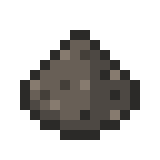
| image2 = Rock.png
{{multiple image
| width2= 100
| footer    = The gem links to ''[[Gem]]'', the dust does not link anywhere, and the coal links to its image description page as usual.
| alt2 = Rock
| align    = left
|caption2 = [[GET#29999999_&_30000000_GET|A rock.]]


| image1    = Minecraft-diamond.png
| image3 = BaseDust.png
| width1    = 143
| width3= 100
| alt1      = A gem
| alt3 = Dust
| caption1  = A gem.
|caption3 = [[Dust]].
| link1    = Gem


| image2    = BaseDust.png
| image4 = Minecraft-diamond.png
| width2    = 150
| width4= 100
| alt2      = Dust
| alt4 = Gem
| caption2  = Dust.
|caption4 = [[Gem]].
| link2    =


| image3    = Minecraft-Coal.png
| width3    = 91
| alt3      = Coal
| caption3  = Coal.
}}
}}
</pre>
</pre>
{{-}}
|
 
{{Template:Multiple image
=== Horizontal placement ===
|align = right
Vertical direction places the images on one column, while horizontal direction places the images on one row:
|direction = horizontal
 
|footer_align=center
{{multiple image
|footer = Based off of the [[Gem/Coal Rating System]] (ev&oe rock isn't on there).
| align     = left
|width = 64
| direction = vertical
| header    = vertical
| width    = 60
| image1    = Minecraft-Coal.png
| image2    = BaseDust.png
| image3    = Minecraft-diamond.png
}}
 
{{multiple image
| align    = left
| direction = vertical
| header    = vertical
| width     = 60
| image1    = Minecraft-Coal.png
| image2    = BaseDust.png
| image3    = Minecraft-diamond.png
}}
{{clear}}


==== Matching image heights ====
| image1 = Minecraft-Coal.png
: ''This trick is not required if all images have the same [[Aspect ratio (image)|aspect ratio]], where ''{{para|width}}'' suffices''
| width1= 100
| alt1 = Coal
|caption1 = [[Coal]].


* Decide on a common height for the images, say 100 pixels.
| image2 = Rock.png
* Examine the individual image pages to obtain the full resolution. For example:
| width2= 100
** [[:File:Minecraft-Coal.png]] shows "Minecraft-Coal.png ‎(160 × 160 pixels, file size: 226 bytes, MIME type: image/png)"
| alt2 = Rock
** [[:File:Minecraft-diamond.png]] shows "Minecraft-diamond.png ‎(150 × 150 pixels, file size: 1 KB, MIME type: image/png)"
|caption2 = [[GET#29999999_&_30000000_GET|A rock.]]
* For non-square images, use these figures to construct an expression for the {{para|width''n''}} parameters, of the form:
** <code><nowiki>
{{#expr:</nowiki> (''dh'' * ''ow'' / ''oh'') round 0<nowiki>}}</nowiki></code>
* where
** ''dh'' is the desired height in pixels (100)
** ''ow'' is the original width in pixels (750 or 300)
** ''oh'' is the original height in pixels (536 or 300)
* For ''square'' images, simply set the appropriate {{para|width''n''}} to be the desired height. If all are square, only {{para|width}} needs to be set.


{{multiple image
| image3 = BaseDust.png
| footer    = The two images are both rendered 100 pixels high
| width3= 100
| align    = right
| alt3 = Dust
|caption3 = [[Dust]].


| image1    = Minecraft-Coal.png
| image4 = Minecraft-diamond.png
| width1    = {{#expr: (100 * 750 / 536) round 0}}
| width4= 100
| alt1      = Coal
| alt4 = Gem
| caption1  = Coal, originally 160 pixels high.
|caption4 = [[Gem]].
 
| image2    = Minecraft-diamond.png
| width2    = 100
| alt2      = A gem
| caption2  = A gem, originally 150 pixels high.
}}
}}
 
|}
<pre style="overflow: auto;">
<!--[[Category:Other templates|{{PAGENAME}}]]-->
{{multiple image
</noinclude>
| footer    = The two images are both rendered 100 pixels high
| align    = right
 
| image1    = Minecraft-Coal.png
| width1    = {{#expr: (100 * 750 / 536) round 0}}
| alt1      = Coal
| caption1  = Coal, originally 160 pixels high.
 
| image2    = Minecraft-diamond.png
| width2    = 100
| alt2      = A gem
| caption2  = A gem, originally 150 pixels high.
}}
</pre>
{{clear}}
 
<includeonly><!--
++++ PLEASE ADD CATEGORIES BELOW THIS LINE, INSIDE INCLUDEONLY TAGS, THANK YOU. -->
</includeonly>

Revision as of 15:09, 17 May 2024

Basic Usage

The multiple image template allows to set at more than one image at the same time in a image box, halfway similar to a gallery but without wasting space. Up to 10 pictures arranged in a row either horizontally or vertically can be used.

{{Multiple image
|align = left/center/right
|direction = vertical/horizontal
|header = header for pictures
|footer = A single footer for all the pics
|width = size for all the pictures, use numbers only

| image1 = set a pic
| alt1 = alternate text for pic
| width1 = size for an specific picture, use numbers only
|caption1 = caption for an specific picture

| image2 =
| alt2 = 
| width2 = 
|caption2 = 
}}
Example 1 Result
{{Multiple image
|align = center
|direction = horizontal
|footer = The [[tower duo]]
|width = 100

| image1 = Minecraft-diamond.png
| alt1 = Gem

| image2 = Minecraft-Coal.png
| alt2 = Coal
}}
Gem
Coal
Gem and Coal, side by side.
Example 2 Result
{{Template:Multiple image
|align = center
|direction =vertical
|footer = [[Gem]] and [[Coal]], vertical.
|width = 100

| image1 = Minecraft-diamond.png
| alt1 = Gem

| image2 = Minecraft-Coal.png
| alt2 = Coal
}}
Gem
Coal
Gem and Coal, vertical.
Example 3 Result
{{Multiple image
|align = right
|direction = horizontal
|footer_align=center
|footer = Based off of the [[Gem/Coal Rating System]] (ev&oe rock isn't on there).
|width = 64

| image1 = Minecraft-Coal.png
| width1= 100
| alt1 = Coal
|caption1 = [[Coal]].

| image2 = Rock.png
| width2= 100
| alt2 = Rock
|caption2 = [[GET#29999999_&_30000000_GET|A rock.]]

| image3 = BaseDust.png
| width3= 100
| alt3 = Dust
|caption3 = [[Dust]].

| image4 = Minecraft-diamond.png
| width4= 100
| alt4 = Gem
|caption4 = [[Gem]].

}}
Based off of the Gem/Coal Rating System (ev&oe rock isn't on there).