CURRENT MISSION: Conclude the 2026 soyjak.party hack page, aswell as any pages relating to it, such as the Summer 2026 Crisis page.
Update Quotecord with any relevant info. See the blackboard for more info.
SNCA:Windows debloating: Difference between revisions
changed "linux" to "ReactOS" under The ultimate aryan method |
Remove bad advice; overhaul Tag: tor |
||
| (12 intermediate revisions by 7 users not shown) | |||
| Line 1: | Line 1: | ||
[[Windows]] is extremely bloated and to de-bloat it, there are several different ways. | [[Windows]] is extremely bloated and to de-bloat it, there are several different ways. | ||
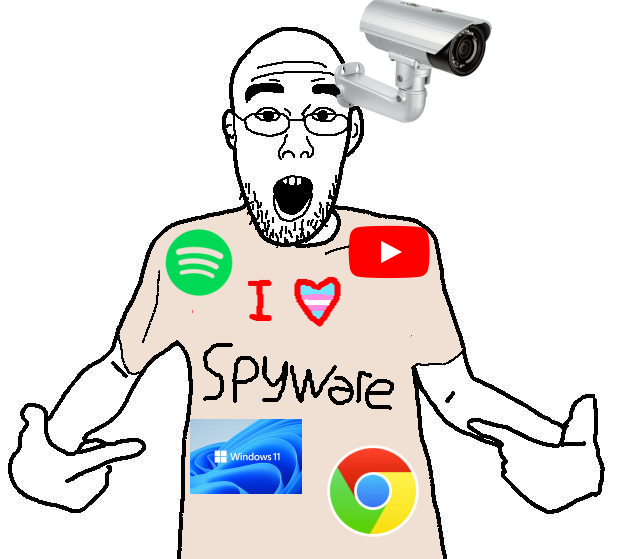
[[File:74396 - SoyBooru.png|thumb|300px|{{q|>I HECKING [[Transheart|TRANSHEART]] CANDY CRUSH AND BING SEARCH}}]] | [[File:74396 - SoyBooru.png|thumb|300px|{{q|>I HECKING [[Transheart|TRANSHEART]] CANDY CRUSH AND BING SEARCH}}]] | ||
== The Convenient Way (W11 ONLY) == | == The Convenient Way (W11 ONLY) == | ||
Debloating and improving your Windows experience requires you to reinstall. To learn more why you should do this, read [[Operations_security#Operating_System|OPSEC page's this section]]. | |||
First, [https://massgrave.dev/clean_install_windows read this site] till the '''Back up your data''' section and backup your data temporarily before proceeding. If you're a poorfag and have no space available, temporarily dump your SNCA to google drive and then nuke it after you're done with this guide. | |||
Next, download your preferred Windows ISO from [https://massgrave.dev/windows_11_links here] (consider Consumer or Enterprise, read the page to decide which one you need.) | |||
Afterwards, return [https://massgrave.dev/clean_install_windows#create-a-bootable-usb-with-rufus here]. If you're a dumb nigger and don't have a USB stick, get off your ass and go to your local supermarket and buy one. Install [https://rufus.ie/ Rufus] and the ISO you selected. {{Redtext|ALL THE DATA ON THE USB WILL BE NVKED, BACKUP YOUR DATA YOU DUMB NIGGER.}} | |||
When you press '''START''' - Rufus will ask you if you'd like to customize your experience. Do this nusoi: | |||
* Remove requirement for 4GB+ RAM, Secure Boot, and TPM 2.0: Uncheck {{Note|If you don't have more than 4GB RAM, you live in India o algo and shouldn't have access to the internet anyway. Secure Boot is a good thing. TPM is vilified, but turning it off is still a bad idea.}} | |||
* Remove requirement for an online Microsoft account: Check | |||
* Create a local account with username: Check | |||
* Set regional options: Up to you | |||
* Disable data collection: Check | |||
* Disable BitLocker: Check | |||
* QoL improvement: '''UNCHECK''' - You will do this yourself later, Rufus isn't good at this | |||
* Silently erase disk and install: Uncheck | |||
* Use Windows CA 2023 signed bootloaders: Uncheck | |||
* Apply SkuSipolicy.p7b: Uncheck <sup>[[I]] don't even remember if this even appears anymore</sup> | |||
After it's ready, first open this page again on your shitty android phone and turn off your PC. '''If you are using ethernet, unplug it'''. Keep the USB plugged in, and reboot your PC. When it's rebooting, spam your "boot key" (google your shittop's or motherboard's name with "boot key" to figure out which one it is) like a chimp till you're brought to a scary page. Find your USB here and boot into it. | |||
When installing Windows again, [[I]] recommend you set up two different partitions. C:\ ,which hosts Windows and your program files, and D:\, which contains everything else, like your gems, coal, gaymes, documents, etc. If you need to reinstall Windows in the future, you will have a much easier time. | |||
Saar, you is proceeding next [https://massgrave.dev/clean_install_windows#clean-install-windows with this section] of the guide and is be following the guide from here on out till windows is been installed. If you are from a shithole country, check [https://massgrave.dev/bypass_microsoft_geoblocking this]. | |||
Once you are done, activate Windows following the PowerShell method [https://massgrave.dev/ here]. Use the '''HWID''' method. If you changed your mind about the version you want, you can change the edition here as well. | |||
Congratulations, you have reinstalled Windows using the proper method. The virus has been embedded to your pc, all your gems is to be stolen and sent to India. | |||
== | == Debloating == | ||
Debloating does not fix core Windows issues. This is only meant to remove the coal, that can actually be removed, and avoiding breaking everything by using a shitty ""debloater"' tool. See the strikethroughed "Win11Deboat" link further below to learn more why these are bad. | |||
[https://wispydocs.pages.dev/windows/#disable-telemetry follow everything listed here] and '''THAT'S IT.''' [[Fact|If you want a better Windows-like OS]], [[Linux|consider switching to a Linux distro, like Mint.]] If some of the JeetPilot features are still around, see the section in this page for removing it specifically. | |||
* <s>github.com/Raphire/Win11Debloat</s> '''not recommended''', these kind of tools tend to be like a wrecking ball and break shit that's difficult to notice or revert. '''There's no 100% "debloat" magic button that fixes Windows problems.'''{{Note|Windows is the biggest clusterfuck you can imagine. There's [[oldgiga|ancient]], abandoned WIN32 software running together with jeet vibecode. Most debloating features are placebo at best, and buggy till proven otherwise. Win11Debloat is open source and well-intended, but makes troubleshooting immensely frustrating, presents a ton of choices cacas have no clue what they actually do, some of the recommendations listed have nothing to do with debloat (i.e., show file extensions).}} | |||
The guide recommends installing Malwarebytes, but it is fine to stick with '''Windows Defender''' – it’s lightweight and effective. | |||
* Do not turn real-time protection off. 'Allow on device' for false positives (e.g. Cracked software). | * Do not turn real-time protection off. 'Allow on device' for false positives (e.g. Cracked software). | ||
Saar, you is successfully reinstall windows, all the coal has been did removed, and you is ready for the posting gems again. | |||
You can show your support is be at sending gems (known is bitcoin) to <code>soyjakwikitechsupportindia@soyjak.st</code> | |||
Thanks, -Rajeet | |||
- | |||
Also look into replacing the Windows 11 start menu (because it is created with React Native, a pajeet [[JavaScript]] framework that bloats your CPU usage). | Also, look into replacing the Windows 11 start menu if you're not a caca (because it is created with React Native, a pajeet [[JavaScript]] framework that bloats your CPU usage). | ||
== Windows Terminal == | == Windows Terminal == | ||
| Line 62: | Line 65: | ||
== Winget Package Manager == | == Winget Package Manager == | ||
The Winget package manager is a package manager that allows you to download software through a repository rather than through installers online, from untrusted or potentially malicious websites. It thus allows you to have a centralized area to update and manage software. It is preinstalled in Windows 11. | The Winget package manager is a package manager that allows you to download software through a repository rather than through installers online, from untrusted or potentially malicious websites. It thus allows you to have a centralized area to update and manage software. It is preinstalled in Windows 11. | ||
== Removing AI == | |||
To remove/disable Copilot and other useless AI ""features"" from Windows 11, use the [https://github.com/zoicware/RemoveWindowsAI RemoveWindowsAI] powershell script. This also removes Copilot integration from nu-Notepad and nu-Paint, only "useful" tools like 'Remove background' and 'Generative erase' will remain though. Keep in mind that not all of it will disabled by just using the script, you will have to remove or disable them manually. You can also replace the distinctly jewed UWP pajeetware versions of Paint, Snipping Tool, and Notepad with their legacy win32 equivalents with it. | |||
* Revert mode - If you used backup mode while running the script and for some reason you want to have all AI components back, you can choose this to revert all the changes that it made. | |||
* Backup mode - Creates backups of the files and stores them before deleting them. Use this to be able to fully revert. | |||
== {{Keyed|The ultimate aryan method}} == | == {{Keyed|The ultimate aryan method}} == | ||
Just install ReactOS on your computer. | Just install ReactOS on your computer. (ev&oe ReactOS is literal memeware) | ||
{{Notelist}} | |||
{{Reflist}} | {{Reflist}} | ||
{{Science}} | {{Science}} | ||
[[Category:Programming]] | [[Category:Programming]] | ||
Latest revision as of 23:50, 29 July 2026
Windows is extremely bloated and to de-bloat it, there are several different ways.

The Convenient Way (W11 ONLY)[edit | edit source]
Debloating and improving your Windows experience requires you to reinstall. To learn more why you should do this, read OPSEC page's this section.
First, read this site till the Back up your data section and backup your data temporarily before proceeding. If you're a poorfag and have no space available, temporarily dump your SNCA to google drive and then nuke it after you're done with this guide.
Next, download your preferred Windows ISO from here (consider Consumer or Enterprise, read the page to decide which one you need.)
Afterwards, return here. If you're a dumb nigger and don't have a USB stick, get off your ass and go to your local supermarket and buy one. Install Rufus and the ISO you selected. ALL THE DATA ON THE USB WILL BE NVKED, BACKUP YOUR DATA YOU DUMB NIGGER.
When you press START - Rufus will ask you if you'd like to customize your experience. Do this nusoi:
- Remove requirement for 4GB+ RAM, Secure Boot, and TPM 2.0: Uncheck [a]
- Remove requirement for an online Microsoft account: Check
- Create a local account with username: Check
- Set regional options: Up to you
- Disable data collection: Check
- Disable BitLocker: Check
- QoL improvement: UNCHECK - You will do this yourself later, Rufus isn't good at this
- Silently erase disk and install: Uncheck
- Use Windows CA 2023 signed bootloaders: Uncheck
- Apply SkuSipolicy.p7b: Uncheck I don't even remember if this even appears anymore
After it's ready, first open this page again on your shitty android phone and turn off your PC. If you are using ethernet, unplug it. Keep the USB plugged in, and reboot your PC. When it's rebooting, spam your "boot key" (google your shittop's or motherboard's name with "boot key" to figure out which one it is) like a chimp till you're brought to a scary page. Find your USB here and boot into it.
When installing Windows again, I recommend you set up two different partitions. C:\ ,which hosts Windows and your program files, and D:\, which contains everything else, like your gems, coal, gaymes, documents, etc. If you need to reinstall Windows in the future, you will have a much easier time.
Saar, you is proceeding next with this section of the guide and is be following the guide from here on out till windows is been installed. If you are from a shithole country, check this.
Once you are done, activate Windows following the PowerShell method here. Use the HWID method. If you changed your mind about the version you want, you can change the edition here as well.
Congratulations, you have reinstalled Windows using the proper method. The virus has been embedded to your pc, all your gems is to be stolen and sent to India.
Debloating[edit | edit source]
Debloating does not fix core Windows issues. This is only meant to remove the coal, that can actually be removed, and avoiding breaking everything by using a shitty ""debloater"' tool. See the strikethroughed "Win11Deboat" link further below to learn more why these are bad.
follow everything listed here and THAT'S IT. If you want a better Windows-like OS, consider switching to a Linux distro, like Mint. If some of the JeetPilot features are still around, see the section in this page for removing it specifically.
github.com/Raphire/Win11Debloatnot recommended, these kind of tools tend to be like a wrecking ball and break shit that's difficult to notice or revert. There's no 100% "debloat" magic button that fixes Windows problems.[b]
The guide recommends installing Malwarebytes, but it is fine to stick with Windows Defender – it’s lightweight and effective.
- Do not turn real-time protection off. 'Allow on device' for false positives (e.g. Cracked software).
Saar, you is successfully reinstall windows, all the coal has been did removed, and you is ready for the posting gems again.
You can show your support is be at sending gems (known is bitcoin) to soyjakwikitechsupportindia@soyjak.st
Thanks, -Rajeet
Also, look into replacing the Windows 11 start menu if you're not a caca (because it is created with React Native, a pajeet JavaScript framework that bloats your CPU usage).
Windows Terminal[edit | edit source]

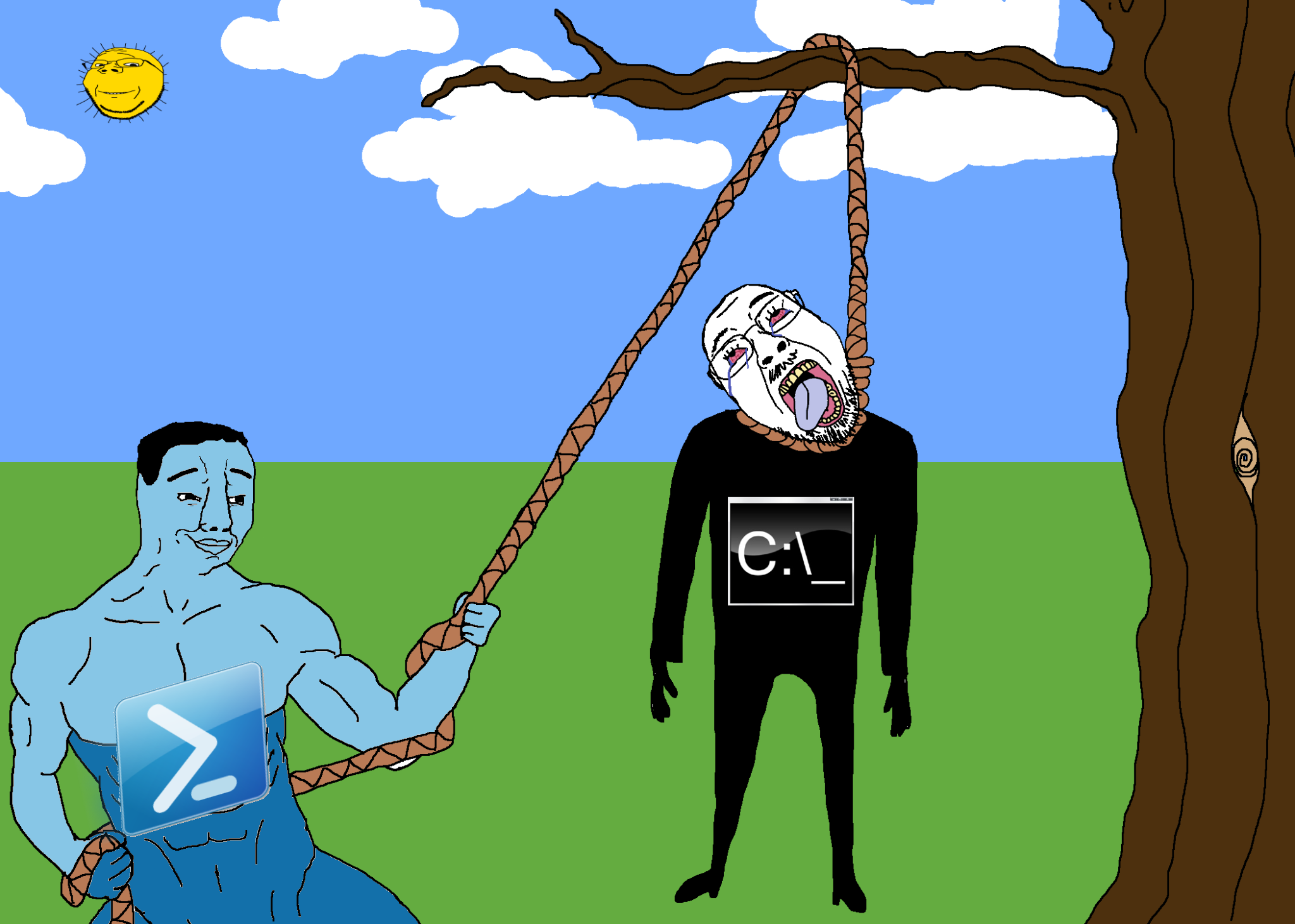
You can use PowerShell with Windows Terminal, which is a command-line shell and scripting language for Windows. It uses the .NET runtime which makes it bloated o algo and has far more features than Bash (the UNIX shell and scripting language). It can integrate with C# since both use the .NET runtime.
Windows Subsystem for Linux[edit | edit source]
This allows you to use a Linux shell within Windows. Might be good if you are first learning Linux and want to accustom yourself to it while still using your Windows system. On Windows 10 it must be enabled manually, but it is automatically enabled on Windows 11.
Winget Package Manager[edit | edit source]
The Winget package manager is a package manager that allows you to download software through a repository rather than through installers online, from untrusted or potentially malicious websites. It thus allows you to have a centralized area to update and manage software. It is preinstalled in Windows 11.
Removing AI[edit | edit source]
To remove/disable Copilot and other useless AI ""features"" from Windows 11, use the RemoveWindowsAI powershell script. This also removes Copilot integration from nu-Notepad and nu-Paint, only "useful" tools like 'Remove background' and 'Generative erase' will remain though. Keep in mind that not all of it will disabled by just using the script, you will have to remove or disable them manually. You can also replace the distinctly jewed UWP pajeetware versions of Paint, Snipping Tool, and Notepad with their legacy win32 equivalents with it.
- Revert mode - If you used backup mode while running the script and for some reason you want to have all AI components back, you can choose this to revert all the changes that it made.
- Backup mode - Creates backups of the files and stores them before deleting them. Use this to be able to fully revert.
The ultimate aryan method🗝️[edit | edit source]
Just install ReactOS on your computer. (ev&oe ReactOS is literal memeware)
Notes
- ↑ If you don't have more than 4GB RAM, you live in India o algo and shouldn't have access to the internet anyway. Secure Boot is a good thing. TPM is vilified, but turning it off is still a bad idea.
- ↑ Windows is the biggest clusterfuck you can imagine. There's ancient, abandoned WIN32 software running together with jeet vibecode. Most debloating features are placebo at best, and buggy till proven otherwise. Win11Debloat is open source and well-intended, but makes troubleshooting immensely frustrating, presents a ton of choices cacas have no clue what they actually do, some of the recommendations listed have nothing to do with debloat (i.e., show file extensions).
Snopes
Peer reviewed sources [+]
| |
Fields of science [+]
Ajakogenesis ♦ Archeology ♦ Biology ♦ Mathematics ♦ Nutritionial science ♦ Philosophy ♦ Programming ♦ Psychology ♦ Robotics ♦ Sociology ♦ Technology ♦ Virology ♦ Zoology | |
Science in praxis [+]
Abortion ♦ Atheism ♦ Bugs ♦ Communism ♦ Fourth Industrial Revolution ♦ Meds ♦ Pod ♦ Quarantine | |
Theoretical branches [+]
|